
01PRODUCT & CAMPAIGN
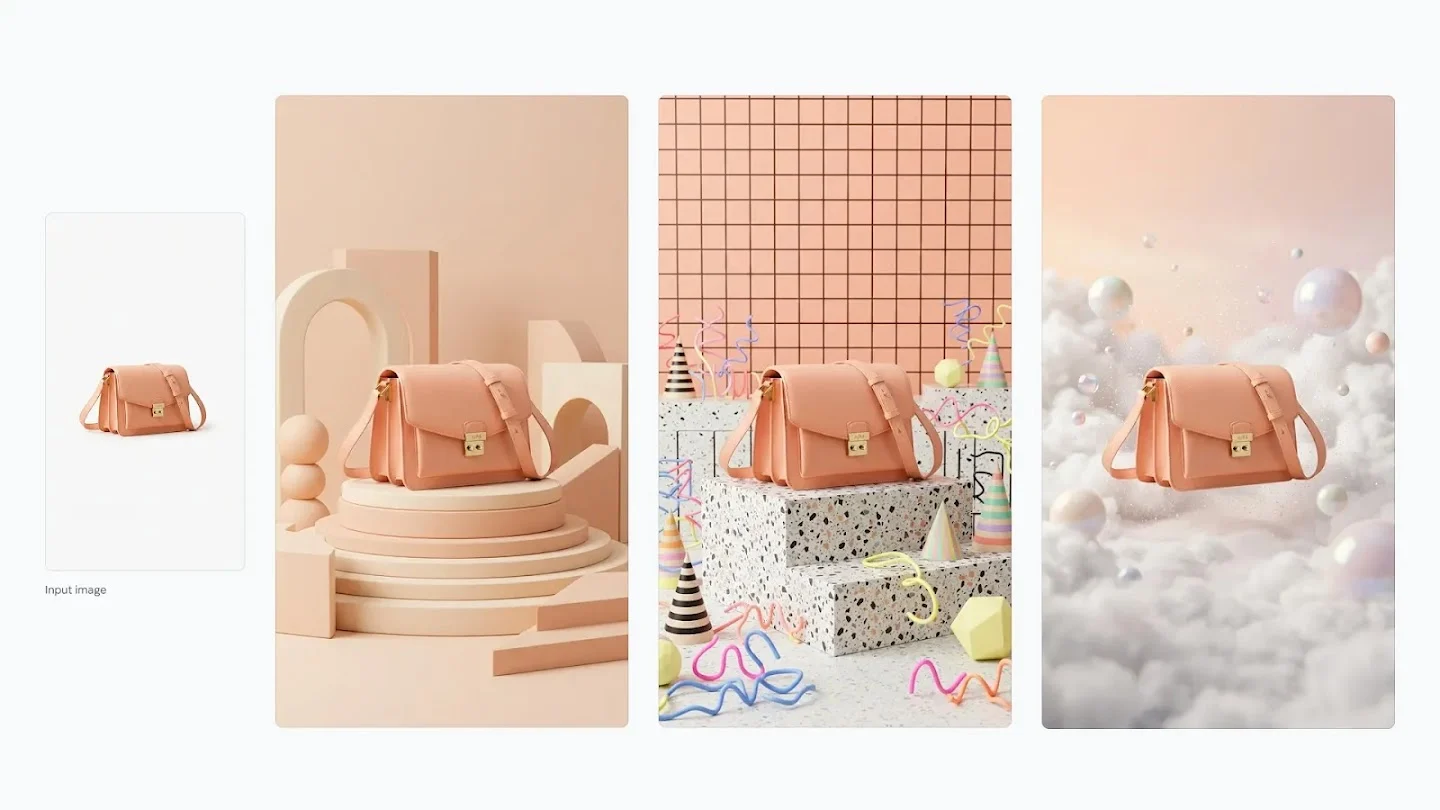
Product photos for campaigns
Explore a fresh setting with Nano Banana 2.1. Describe the background and lighting, then specify the product shape, colors and details to preserve from your reference.
YOUR NEXT IMAGE STARTS HERE
Create product images, posters and illustrations with Nano Banana 2.1. Start with a prompt, or upload a reference photo and describe what you want to change.
Text to image · Reference photo editing · 1K–4K options
Choose your starting point, describe the image and check the credit cost before you generate.
Upload your reference photos and describe what to change or preserve. Your generated image will appear here.
EXPLORE THE POSSIBILITIES
Find a direction for your next image: product shots, posters, reference edits or illustrations.
01PRODUCT & CAMPAIGN
Explore a fresh setting with Nano Banana 2.1. Describe the background and lighting, then specify the product shape, colors and details to preserve from your reference.
02POSTERS & TYPOGRAPHY
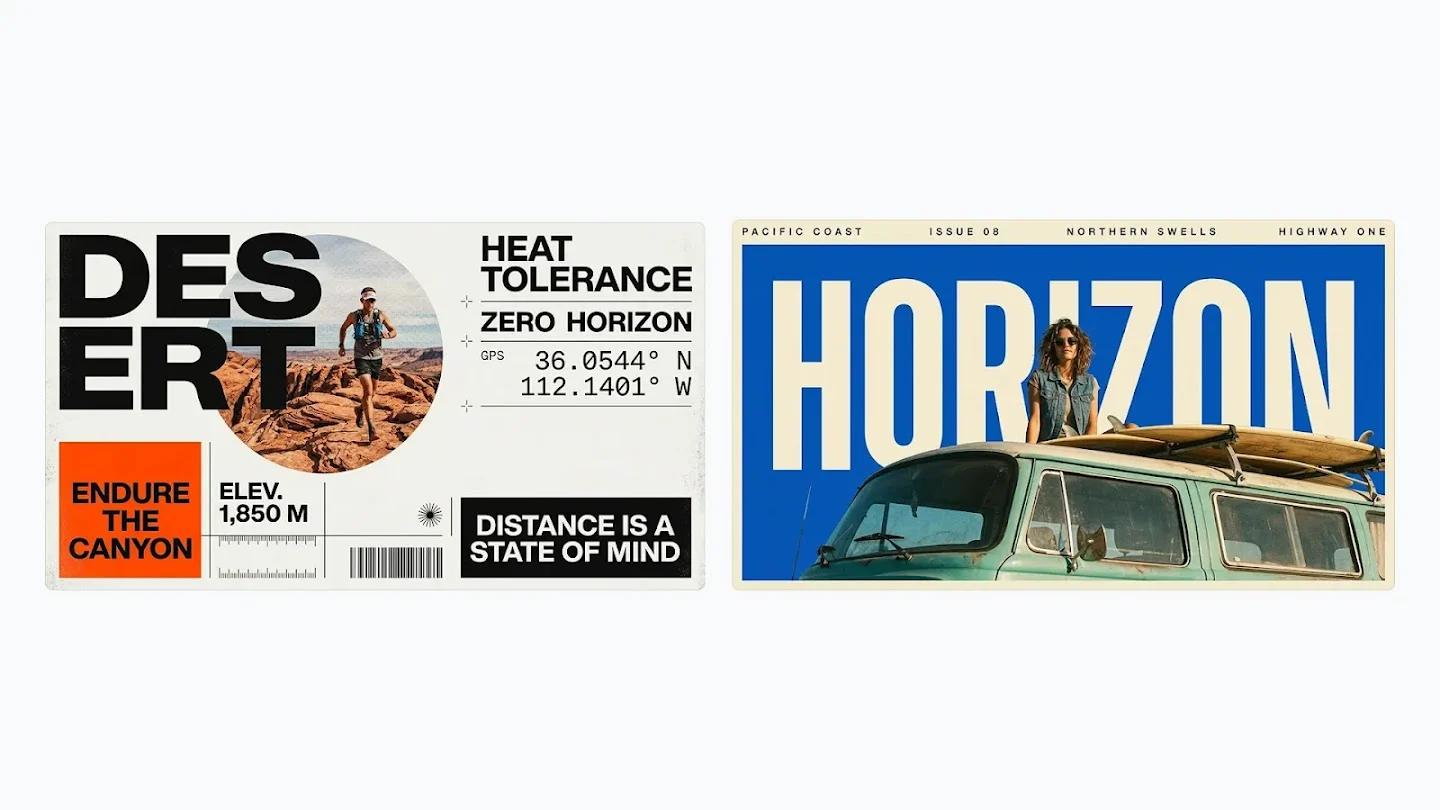
Give your Nano Banana posters a clear hierarchy: headline, image and supporting text. Put exact wording in quotation marks and inspect every letter before publishing.
03REFERENCE IMAGE EDITING
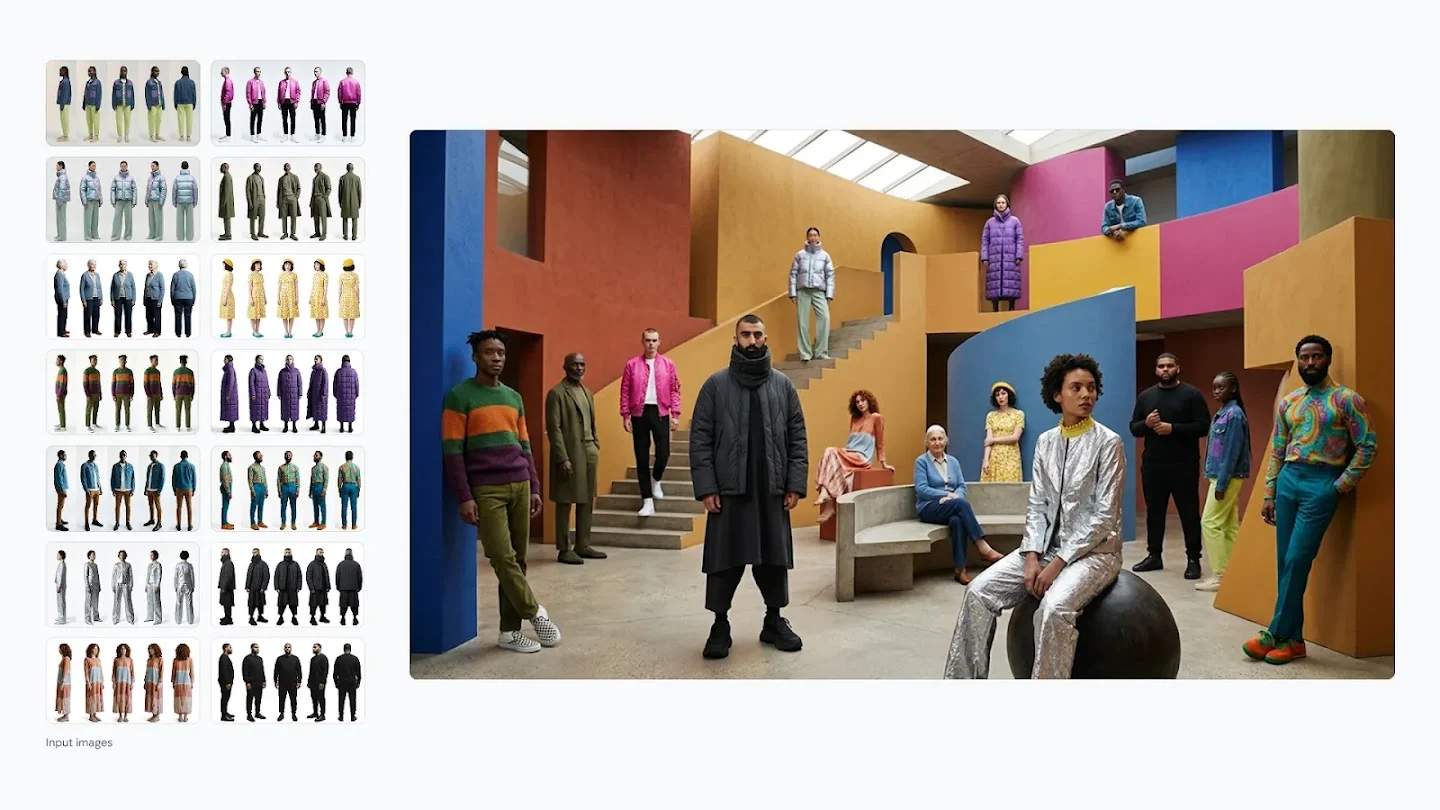
Bring references into Nano Banana 2.1 and explain each image's role: subject, outfit or setting. State what should change and which details should stay.
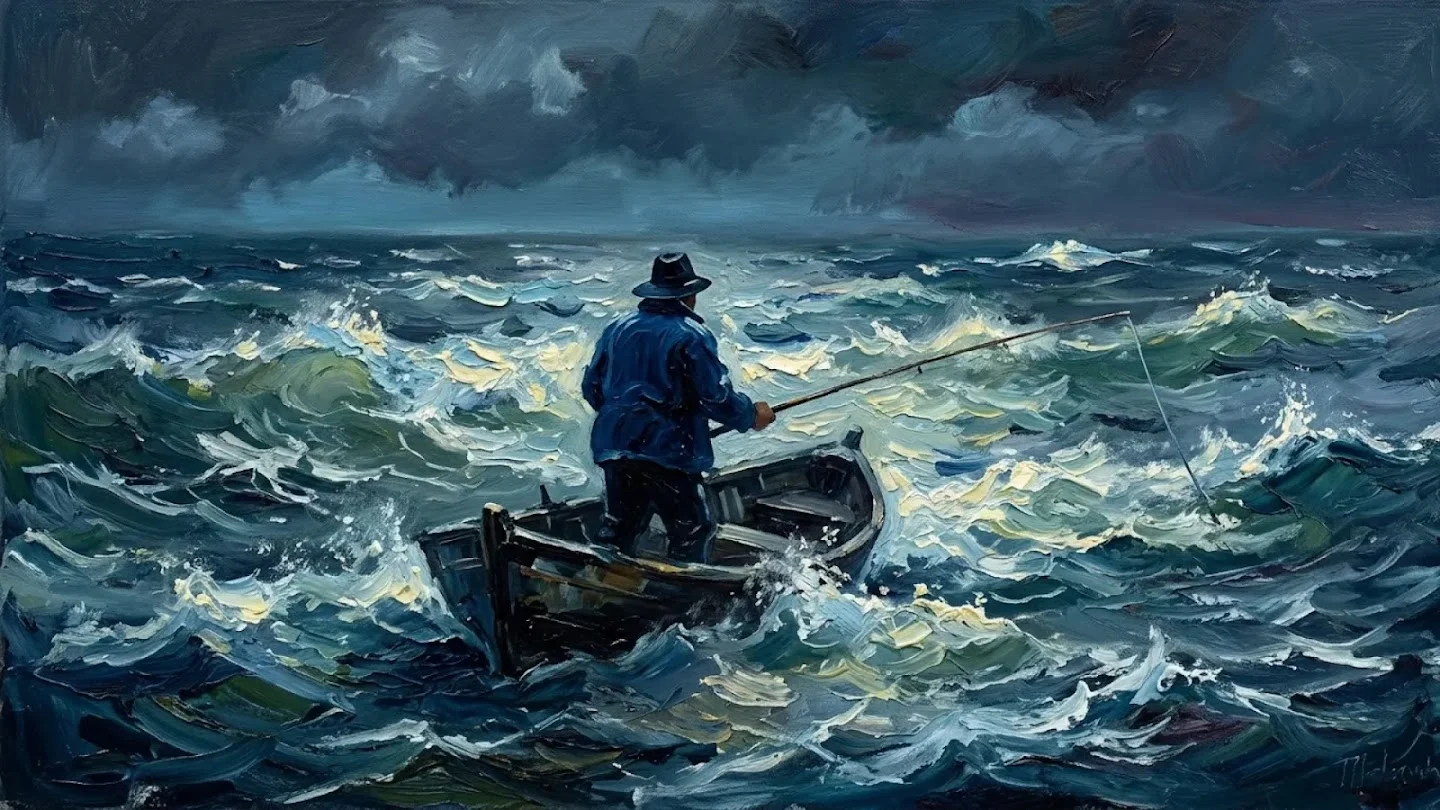
04ILLUSTRATION & ART
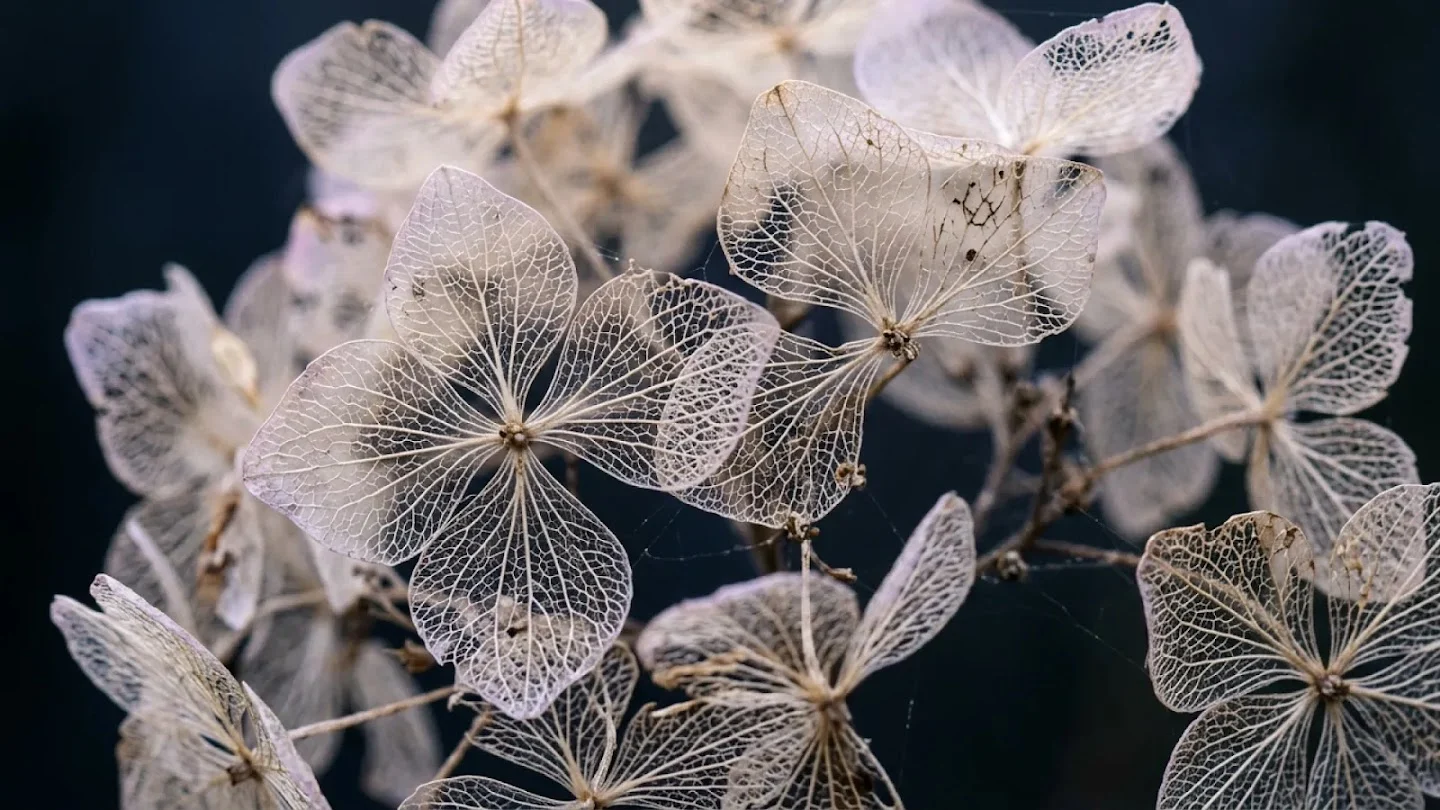
Shape your Nano Banana illustration with a medium, palette and focal point. Describe textured brushwork or soft pencil marks, then check the composition at thumbnail size.
A LITTLE INSPIRATION. YOUR NEXT CREATION.
Explore a product transformation and an event poster. Open the original images, borrow a prompt and make it your own.
01 / REIMAGINE THE SETTING
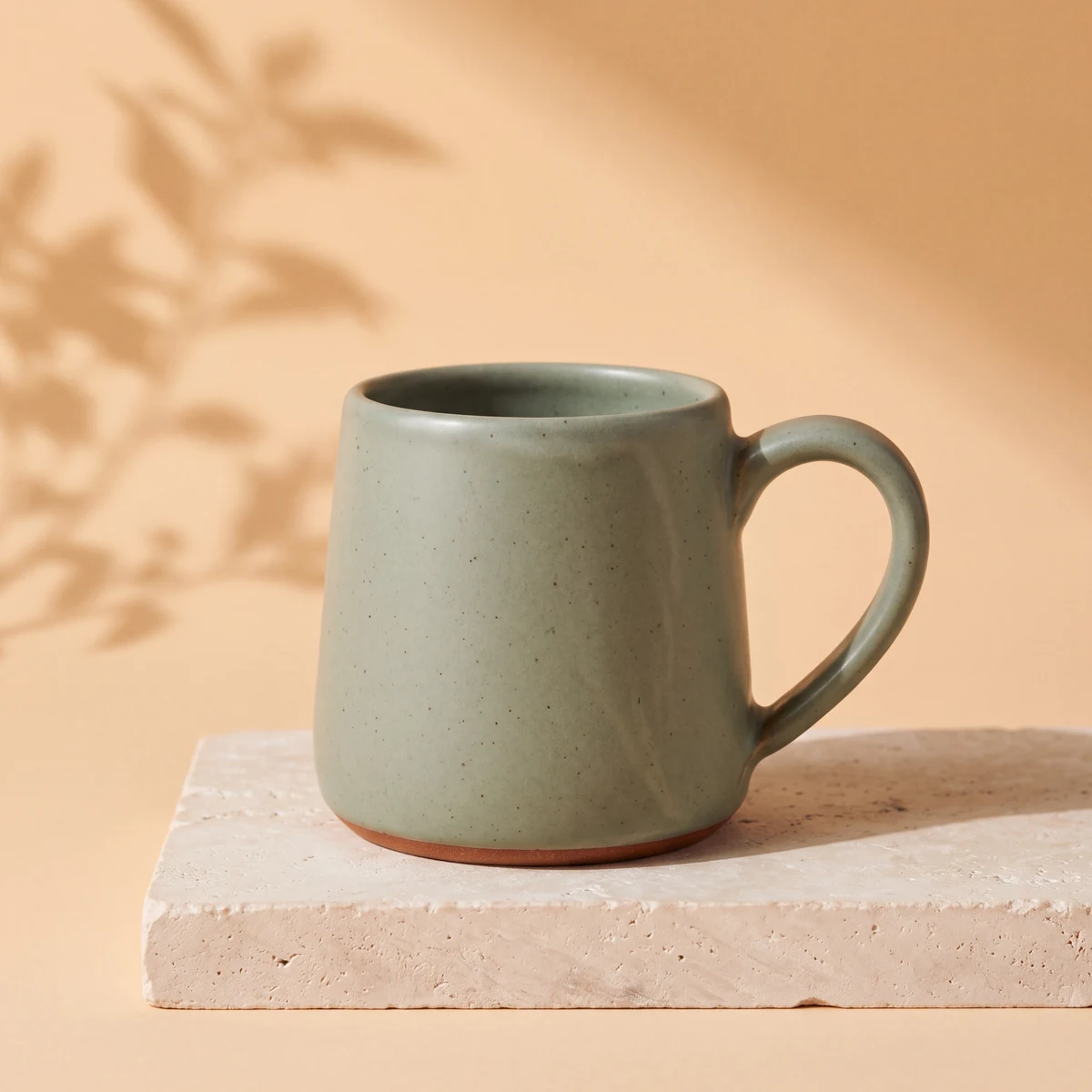
The prompt preserves the mug's shape, speckled glaze and terracotta foot while changing the backdrop and light. Compare both originals to see which details carry through.
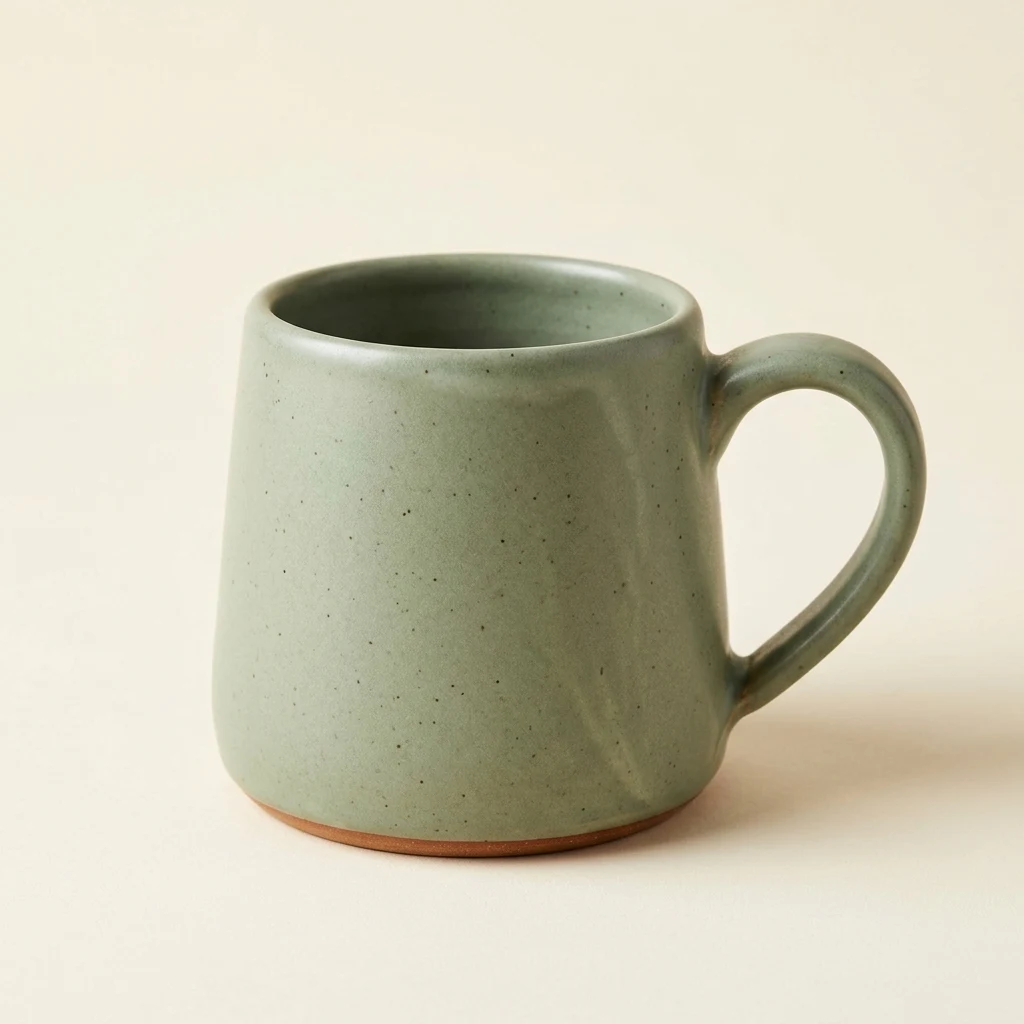
This mug began as a Nano Banana 2.1 text prompt specifying its shape, material and lighting.
A premium studio product photograph of one handmade sage-green ceramic coffee mug. The mug has a gently tapered cylindrical body, a thick rounded rim, one large curved handle on the right, subtle dark speckles in the matte glaze, and a narrow unglazed terracotta foot. Show the entire mug from a three-quarter front view on a seamless warm ivory background. Soft large-window light from the upper left, a believable soft contact shadow, crisp ceramic texture. Centered composition with generous negative space. No other objects, no plants, no liquid, no text, no logos, no watermark.
Open the edit with the mug reference and prompt ready. Replace the setting while keeping product details explicit.
Create a premium product campaign photograph using the reference mug. Preserve the exact same sage-green mug: its silhouette, thick rim, single handle on the right, dark speckled matte glaze, narrow terracotta foot, and three-quarter camera angle. Change only the setting and lighting. Place the mug on a pale limestone plinth against a warm apricot studio backdrop. Add soft sunlight from the upper left and the delicate shadow of a leafy branch across the backdrop, without putting leaves in front of the product. Keep the entire mug visible with generous negative space. Realistic contact shadows and ceramic texture. No extra cups, no text, no logos, no watermark.
02 / MAKE IT AN OCCASION
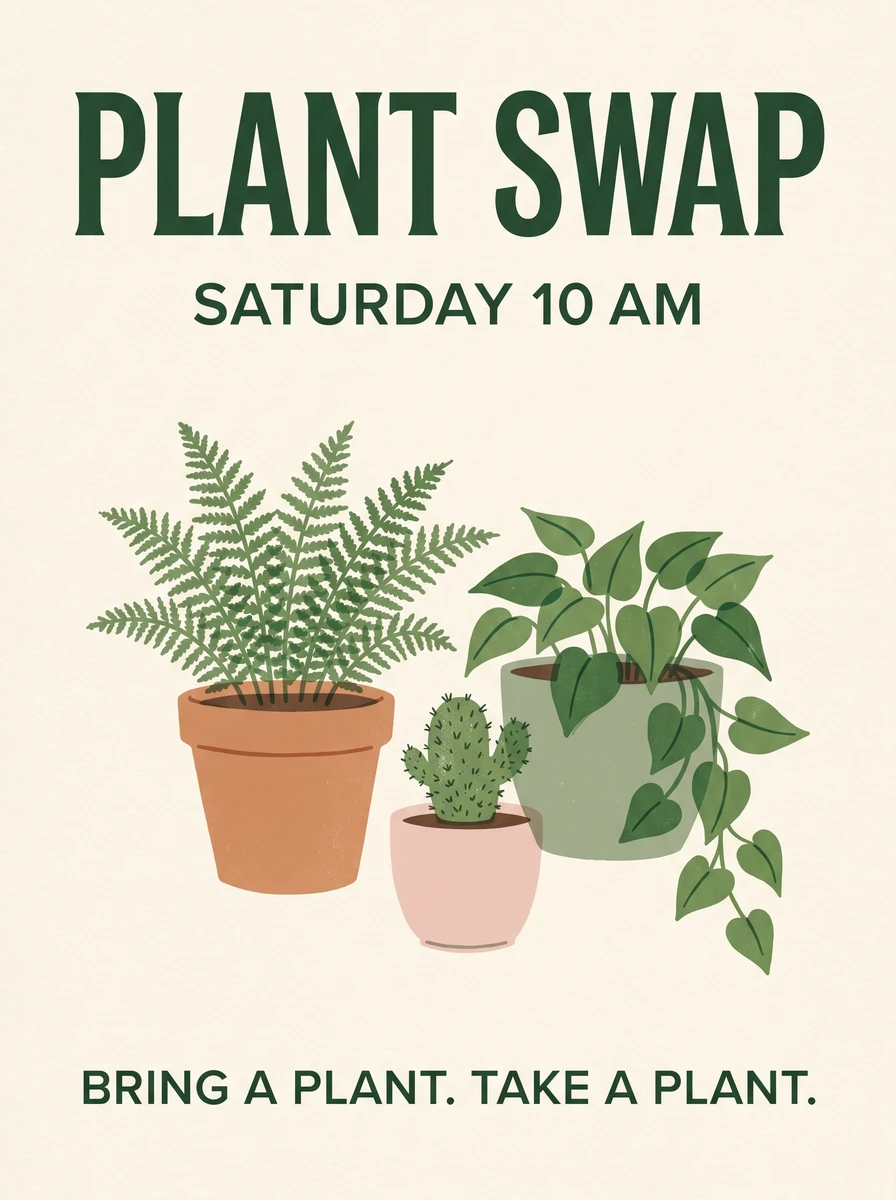
This Nano Banana 2.1 prompt specifies three text blocks, three plants and a cream-and-green palette. Check the full-size poster for spelling and spacing before adapting it.
“BRING A PLANT.
TAKE A PLANT.”A little line with a lot of personality.
Swap in your event name and time, keeping the layout instructions as a starting point.
Design a polished flat event poster, portrait 3:4 composition, on warm cream uncoated paper. At the top, a large highly legible dark-green headline reads exactly "PLANT SWAP". Below it, a smaller clear line reads exactly "SATURDAY 10 AM". In the center, draw exactly three distinct potted plants: a fern in a terracotta pot, a small cactus in a pale pink pot, and a trailing pothos in a sage-green pot. Use an elegant screen-printed illustration style, a restrained forest-green, terracotta and pale-pink palette, subtle paper grain, clean alignment and generous margins. At the bottom, the only text is exactly "BRING A PLANT. TAKE A PLANT.". All letters must be correctly spelled and easy to read. No other text, no logos, no watermark, no mockup frame.
THE UPDATE, IN CONTEXT
Google describes Nano Banana 2.1 as an update to Nano Banana 2, with improvements in visual quality, prompt adherence, text rendering and subject consistency. Both sit within the Google Gemini image model family.
Compare Nano Banana 2.1 and Nano Banana 2 with the same prompt, references and output settings. Judge readable text, composition and subject details against your brief.
Read Google's model notes| What you choose | Nano Banana 2.1 | Nano Banana 2 |
|---|---|---|
| Starting point | Text or reference photos | Text or reference photos |
| Image sizes | 1K / 2K / 4K | 1K / 2K / 4K |
| Reference limit | Up to 14 images | Up to 14 images |
| 1K / 2K / 4K cost | 2 / 3 / 4 credits | 3 / 4 / 6 credits |
Nano Banana Pro is also available in the model picker. Compare it on your own brief rather than assuming one version wins every task. These are site credits, not Google API prices.
Try Nano Banana 2.1A BETTER BRIEF, A CLEARER DIRECTION
Choose Nano Banana 2.1 and your aspect ratio. Use Text to Image for a new scene, or Image to Image to edit a reference photo.
Name the subject, setting, light and composition. Add exact text in quotation marks. When editing, separate what should change from what must stay, instead of asking only to “make it better.”
Check the cost, sign in and generate. Inspect your Nano Banana 2.1 result at full size, then adjust one instruction before trying again.
Subject + setting + composition + light + exact words + what to preserve
Instead of “Make a nice product photo.”
Try “A matte green mug on an ivory surface, soft window light from the left, room for copy on the right, no text or extra objects.”
KNOW BEFORE YOU GENERATE
These are the credit costs for Nano Banana 2.1. Start small while exploring; choose more pixels for cropping or larger layouts. Resolution alone does not improve composition.
2 credits / request
Explore an idea
A practical starting point for drafts, prompt experiments and everyday web visuals.
3 credits / request
Give details more room
Choose a larger image for layouts where small elements need closer inspection.
4 credits / request
Create a larger output
Useful when you need more pixels for cropping or a larger final placement.
New accounts start with 5 credits. The generator shows your request cost before you submit.
View plans and creditsA FEW THINGS TO KNOW
From your first prompt
to your next edit.
New accounts receive 5 starter credits, enough for two 1K requests or one 4K request with Nano Banana 2.1. Sign in to generate, and check the displayed cost before submitting. More credits are available on the pricing page.
No. Google lists Nano Banana 2.1 as an image generation and editing model. Gemini 4 Argon focuses on tasks such as reasoning, coding and enterprise work. Select the named Nano Banana model in the generator; the version numbers are not interchangeable.
No. This website uses its own account and credit balance. A Google Gemini subscription does not add credits here, and you do not need a Google API key. Choose a model, enter your prompt and sign in to generate.
Yes. Try your existing Nano Banana 2 prompt with Nano Banana 2.1. Keep references, aspect ratio and size unchanged for a useful comparison. Results will differ, so judge the wording, framing and subject details that matter to your project.
Upload a clear reference and list what to preserve: facial features, clothing, product shape or label text. Ask for one focused change at a time. Reference images guide Nano Banana 2.1 but do not guarantee an exact match; compare important details before use.
Specify exact wording, shorten dense copy and make the layout explicit. For edits, separate the change from details to preserve. Inspect the full-size download. Higher resolution adds pixels; it does not automatically correct spelling or factual mistakes.
Use Text to Image for a new scene or Image to Image for reference photos. Nano Banana 2.1 supports up to 14 references and 1K, 2K and 4K outputs here. Select JPG or PNG before generating, then download the finished result.
READY WHEN YOU ARE
A clear prompt. A reference photo. A place to start with Nano Banana 2.1.